How do you let me renew my certificates in-app?
Summary
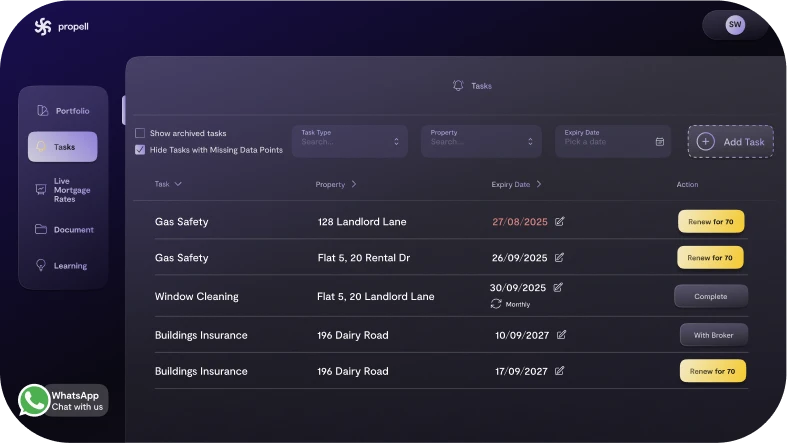
Propell integrates with Safe2 for EPC, Gas Safety, EICR and more. You’re reminded, you click Renew at a flat price, and we handle the rest. Completed certificates are uploaded and expiries reset automatically.
How it works
- 30-day reminder appears (email + in-app).
- Click Renew with Safe2 → confirm details.
- Safe2 arranges inspection and returns the certificate.
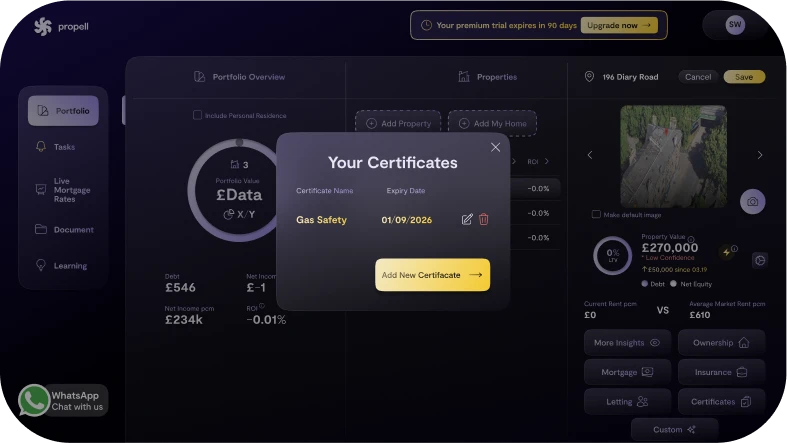
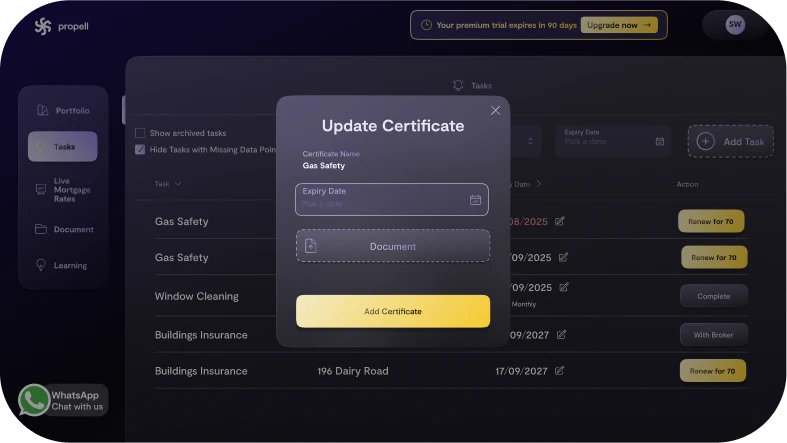
- Propell uploads the doc to your property and resets the next due date.
Why it matters
- Zero admin; guaranteed compliance trail.
- Documents never get lost.
- Never miss an expiry = avoid costly fines!
FAQs
- Can I supply my own engineer? Yes, you’ll still be reminded when your certificate is expiring, simply organise your own engineer, once done - upload the certificate; Propell logs it. (psst - you can even just send the doc in a whatsapp to us and ask for it to be uploaded for you - and just like magic, it will be done!)
- Where do I see status? In the task and the property’s Documents tab.
- Does Propell add any commissions on top? No
Related Articles